


The front office of the quiz tool & raffle manager

The example shows the Quiz Manager, which is used by the "Tourism Authority of Thailand" in Portugal for two purposes:
- For an annual online contest in which participants answer a block of 10 questions every week for 5 weeks and, if they answer more than 80% of the questions correctly, they are entered into a raffle for trips to Thailand or vouchers for Thai restaurants or wellness experiences
- For knowledge training and surveying employees of travel agencies who offer trips to Thailand and can therefore better advise their customers with important information about trips to Thailand
The screenshots shown here are from the quiz tool with integrated course and quiz components for travel agencies.
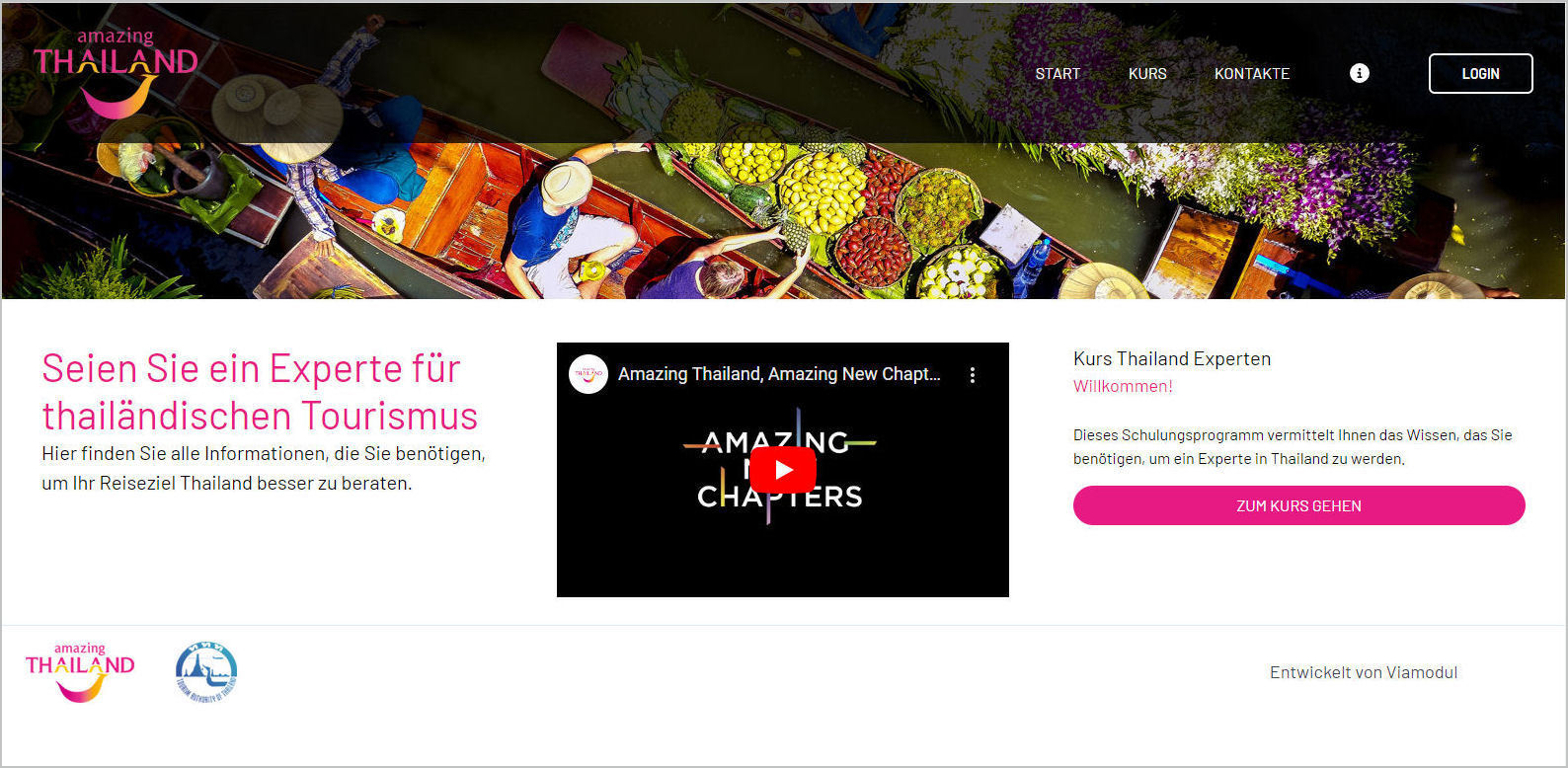
1. The start page of the quiz tool
The QuizManager can be accessed in a browser like a regular website. The start page, as well as the information pages and menus, can be designed flexibly like a website using a content manager. In addition to text, images and videos can also be integrated.
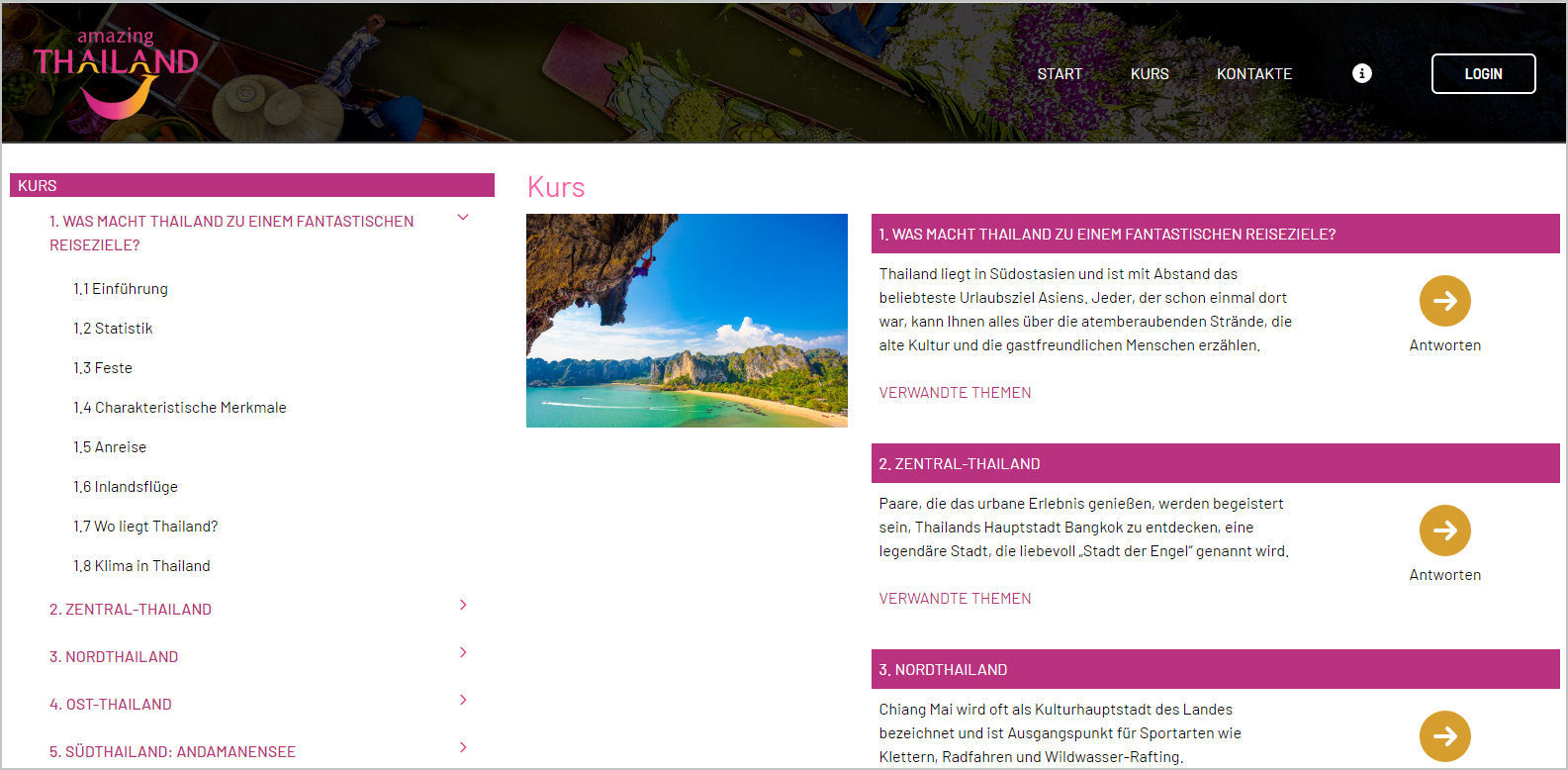
2. Course pages of the quiz tool
The quiz tool "QuizManager" is also used to test knowledge acquired from courses or teaching texts. The questions relate specifically to the individual chapters of a course. A tree menu on the left-hand side gives a precise overview of the content and allows the user to navigate easily.
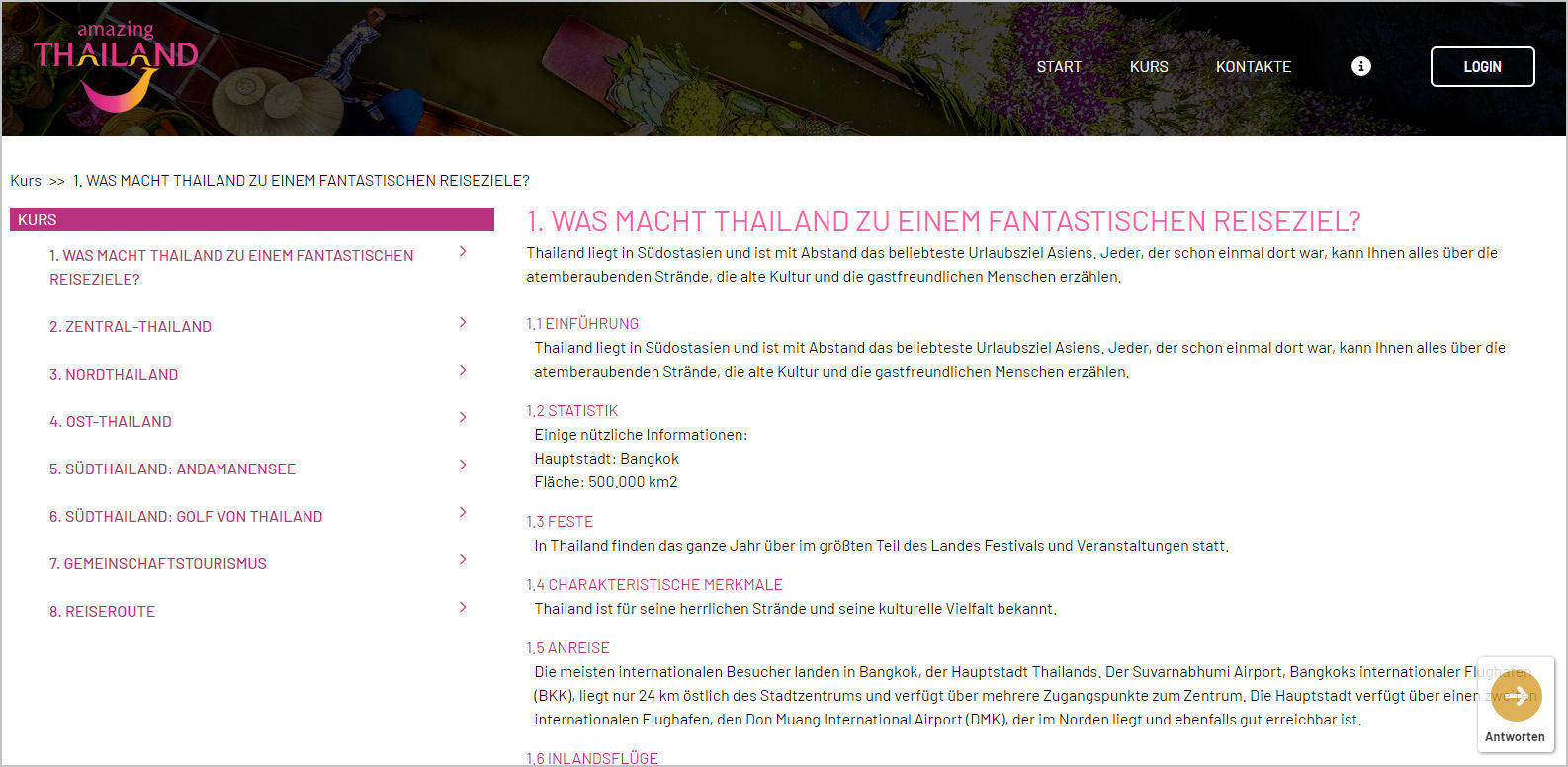
3. Course content page
The content can also be freely designed on the course content page. The participant can answer the questions related to the chapter at any time using a button that is always present and thus test his knowledge.
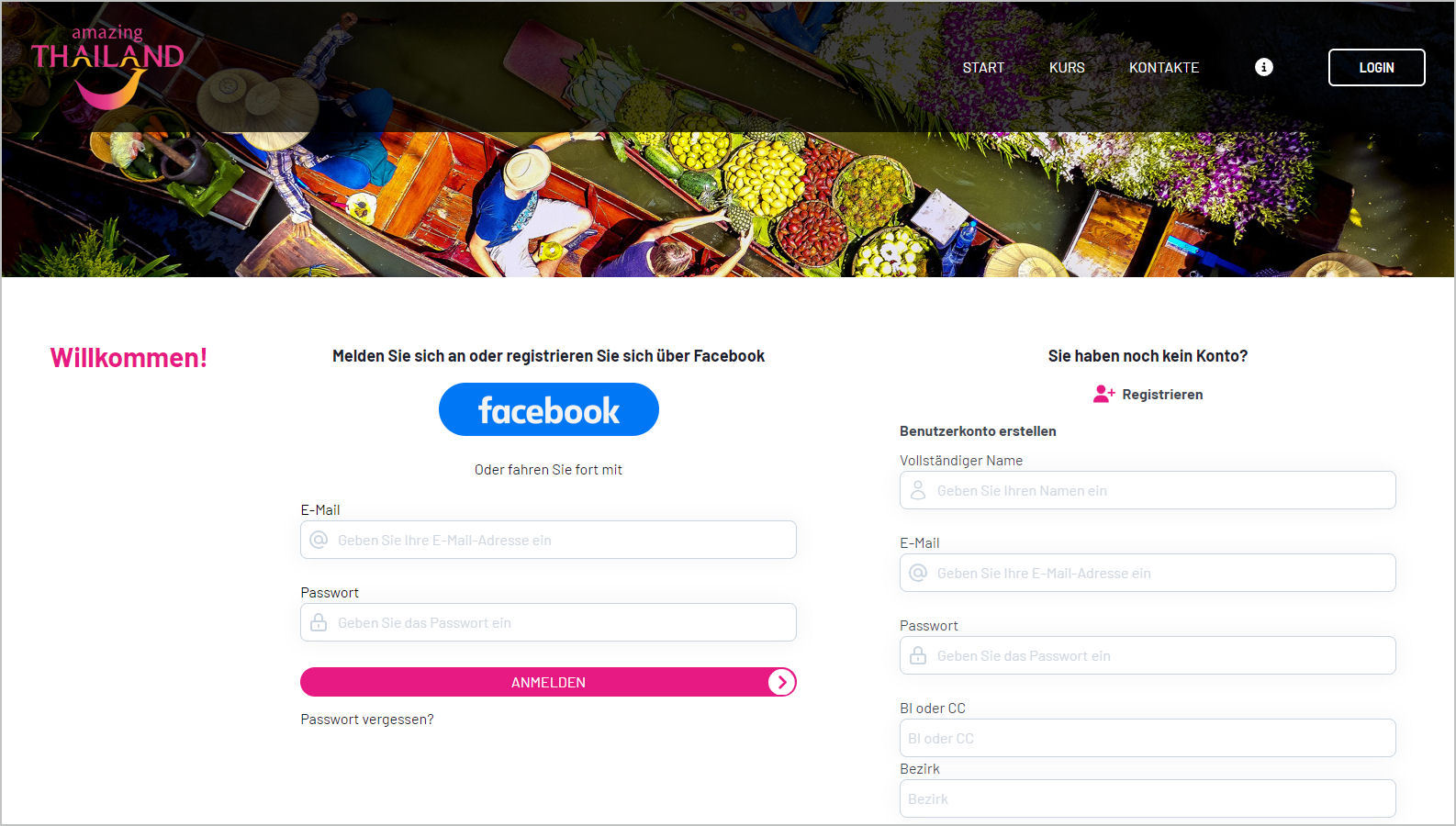
4. Registration and logging in to the quiz tool
Before taking part in the quiz, the participant must register or log in if he has already opened an account. This can be done via an email address or via a Facebook account.
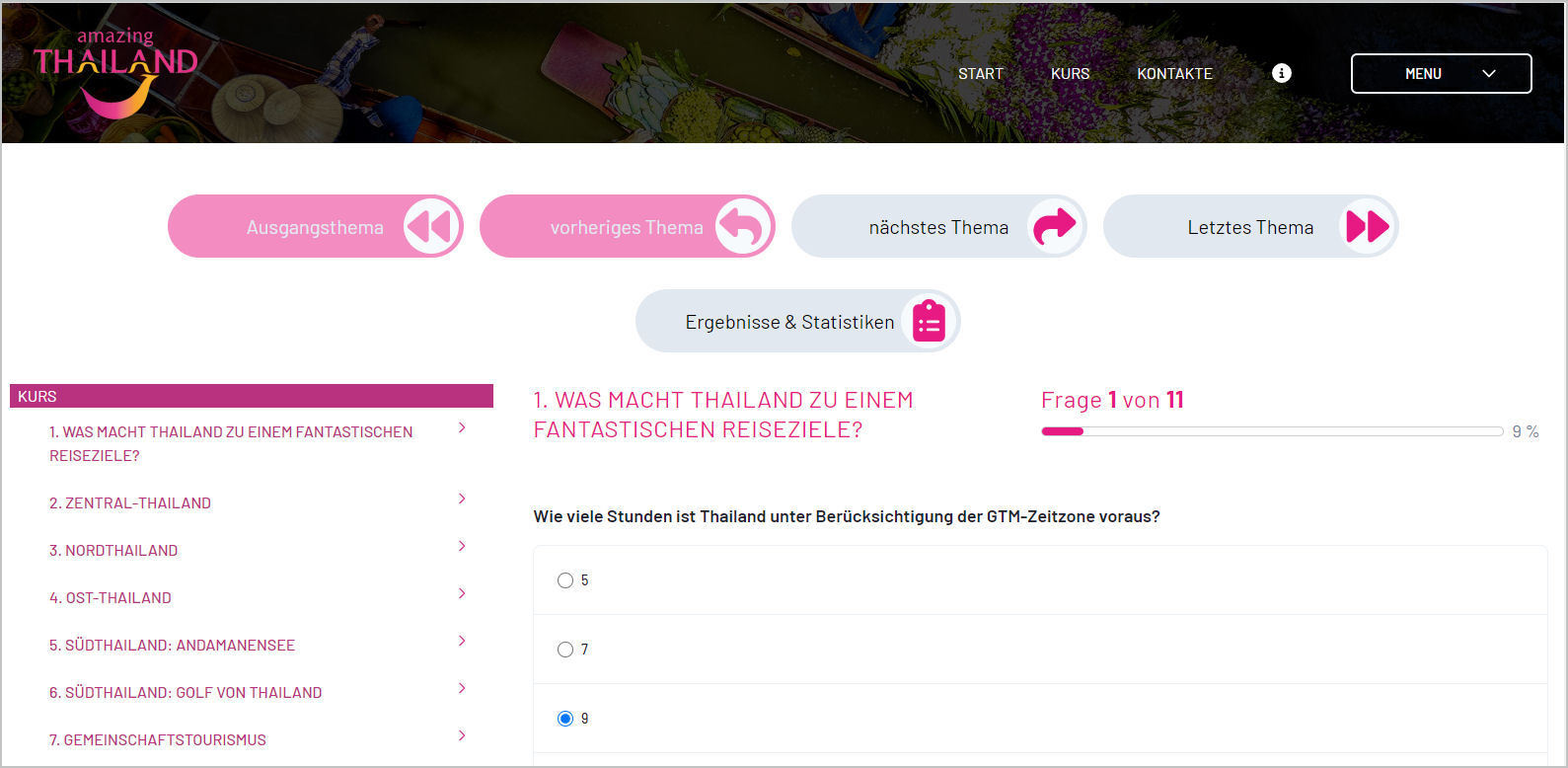
5. Answering questions
For each question, there are various answers that the participant can choose from. The participant can also answer a question at a later time. An illustrative image for each question can be shown. The number of the question and the total number of questions in the chapter are also displayed. A progress bar also informs the participant of their progress.
6. Navigation in the quiz tool
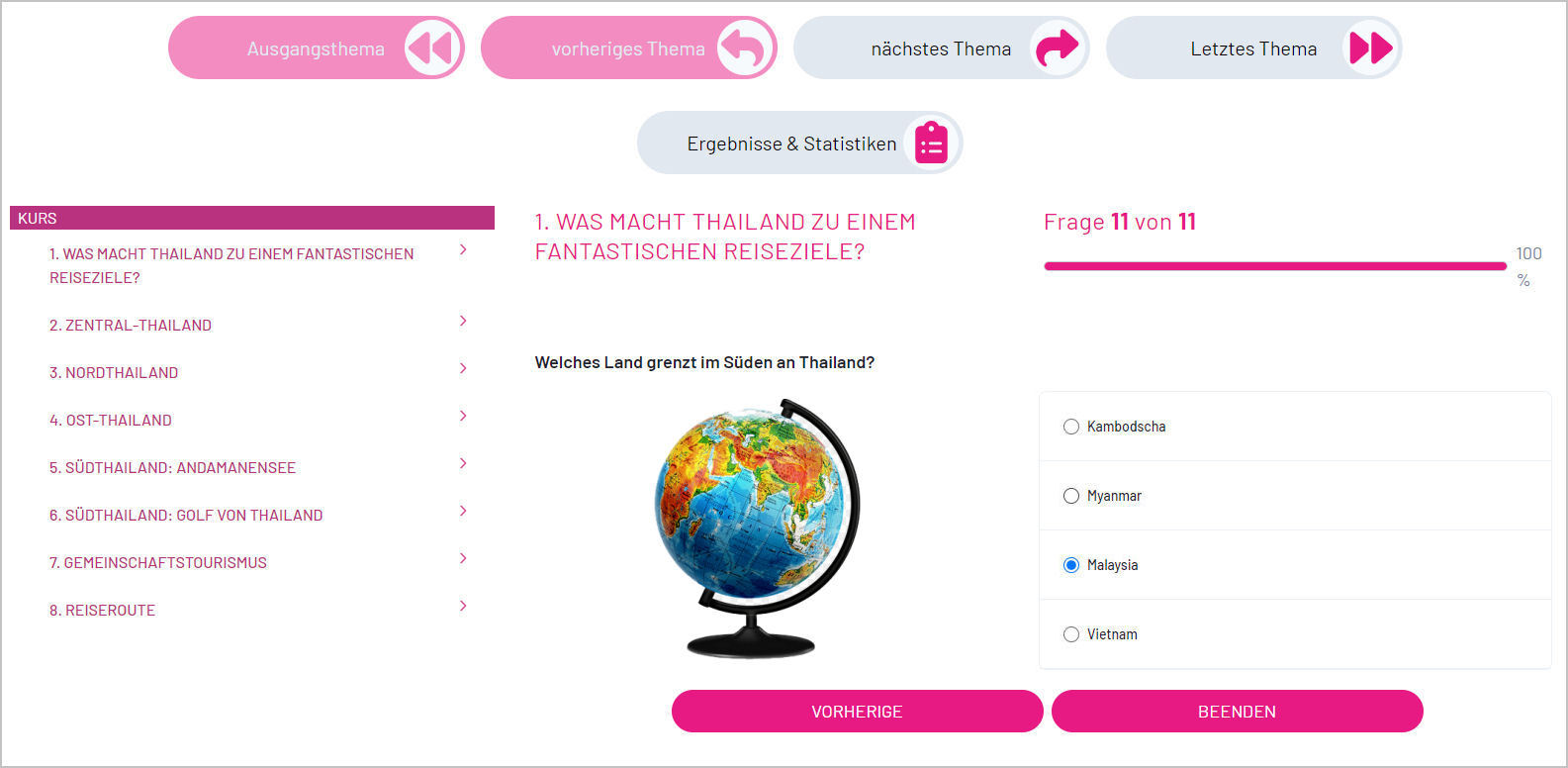
The participant can navigate to further questions at any time, such as the first or last question in the chapter, or simply to the previous or next question. Large, visible buttons are available to the participant for this purpose. The last question allows you to end the question block for the chapter.
7. Ending a chapter
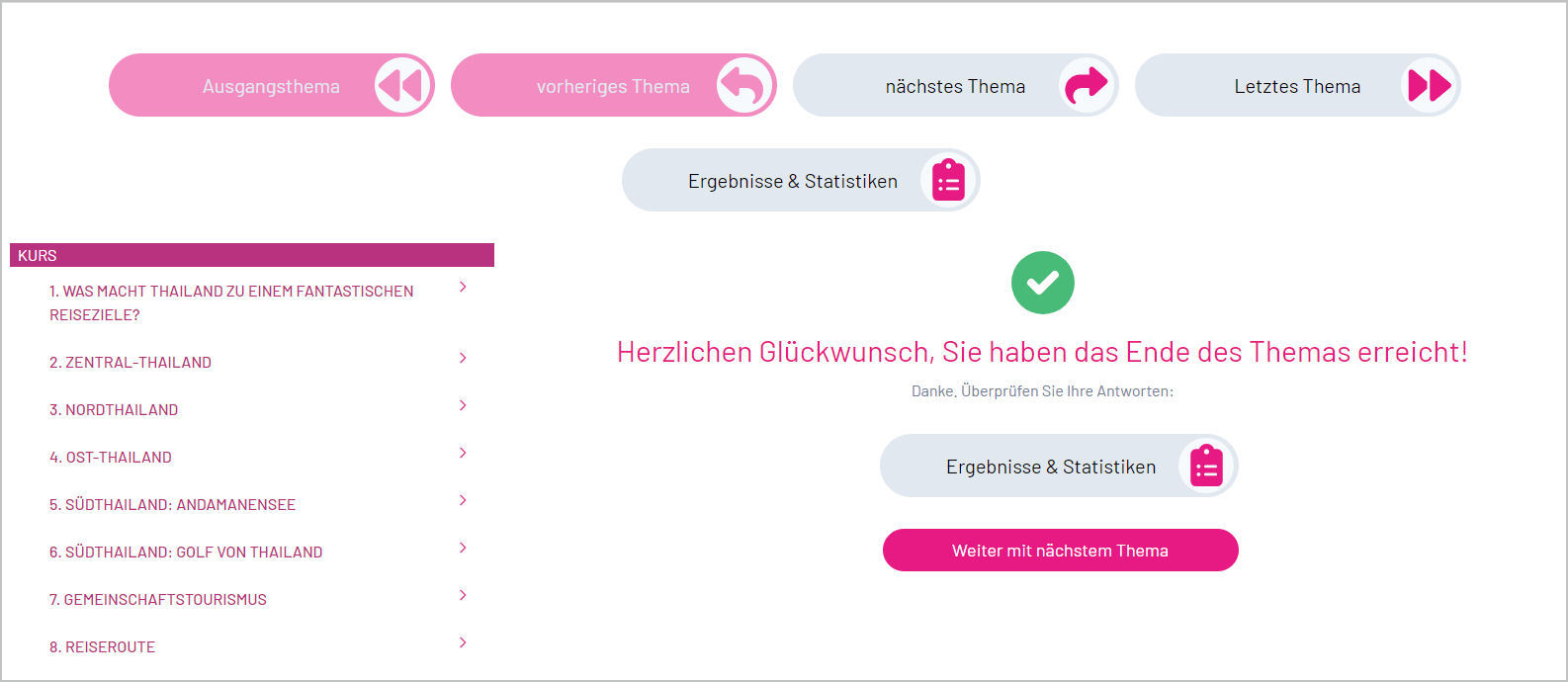
At the end of a chapter, the participant can access their results and the associated statistics in the quiz tool or go directly to the next chapter.
8. Statistics & Answers in the Quiz Tool
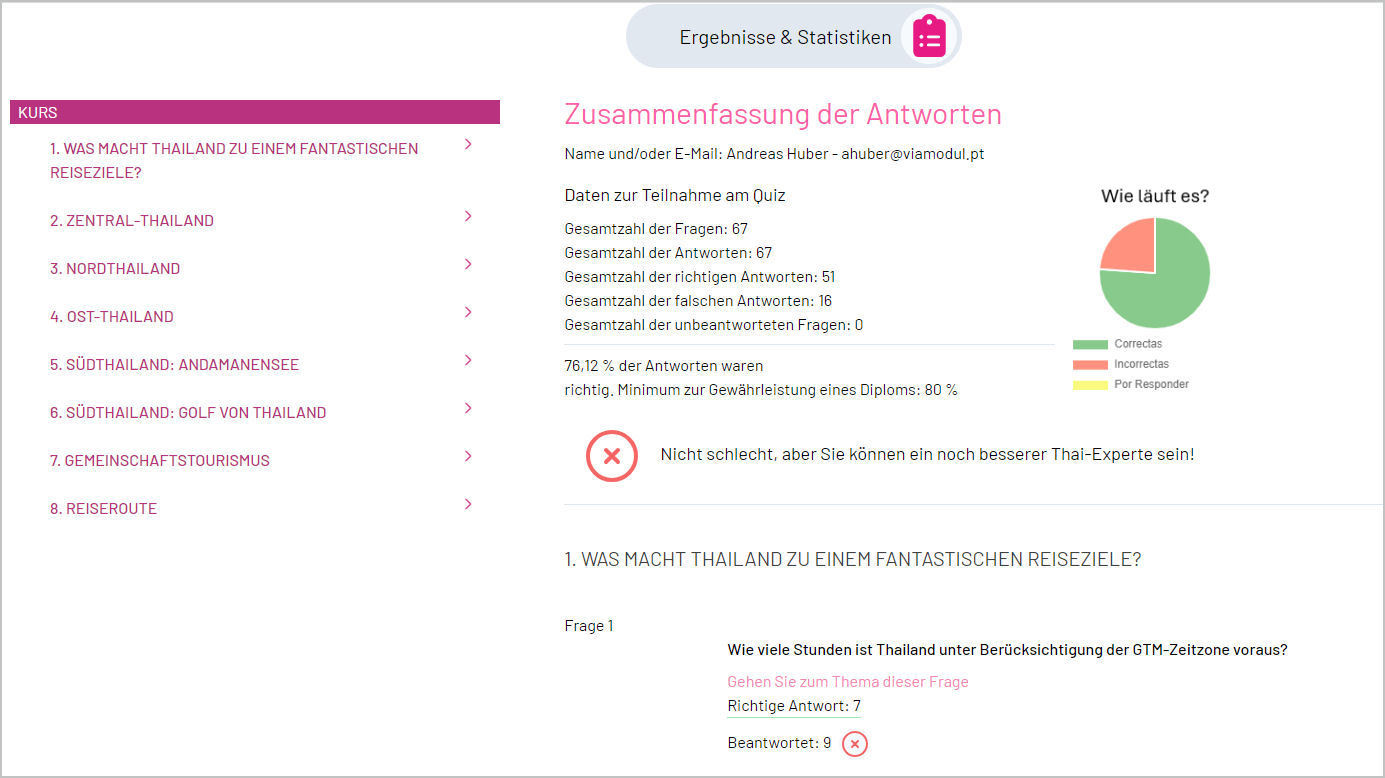
The statistics and answers page on the quiz tool gives the participant an overview of the total number of questions answered and how many of them were answered correctly or incorrectly. In addition, the given answer to all questions appears, as well as whether it is correct or incorrect. The participant will find out the correct answer in both cases.
Related Topics
Homepage Quiztool & Raffle Manager
Quiztool Show case „Tourism Authority of Thailand“
The front office of the Quiztool & Raffle Manager
The back office of the Quiztool & Raffle Manager
General Benefits of Quizzing as a Marketing Tool
Immersive Brand Experience with Quiztool & Raffle Manager
 (+351) 936 810 645